
Founder, lead designer
Acquia AI Copilot
Imagine a marketer racing against a deadline, digging through tens of thousands of assets to find the exact image, version, and legal status they need. That experience is what we set out to change.
Acquia Copilot is an AI assistant built to give users a single, consistent way to interact with AI across Acquia products. I led the effort to establish Copilot in Acquia DAM — from discovery research through beta release — while collaborating closely across three sprint teams. Along the way we balanced bold UX ideas (like selecting assets directly inside the assistant and even exploring facial-recognition flows) with product constraints and privacy considerations.
My role
Sole designer in a sprint team of 6
Duration
Q3, 2022 - Q4, 2024
Team
1 Product Manager, 1 Agile team lead,. 1 Frontend engineer, 1 Backend engineer, and 1 QA engineer
Constraints
the assistant had to feel native to the DAM and remain consistent with other apps in Acquia’s ecosystem. We also faced technical limits that constrained some UI patterns and scope decisions.
Challenge
I start by asking: what’s really slowing users down — and why?
Current probelm
Market Problem: Generative AI changed expectations overnight. MarTech customers began to expect generative features that remove repetitive work and speed up decision-making. Our product needed to deliver a trustworthy, efficient AI assistant — not just gimmicks.
User Problem: Marketers and developers wanted to spend less time on repetitive asset wrangling and more time on high-value work. They needed fast, clear paths to the right assets, an easier way to compare metadata, and guidance about next steps (revoke access, grant consent, delete, etc.).
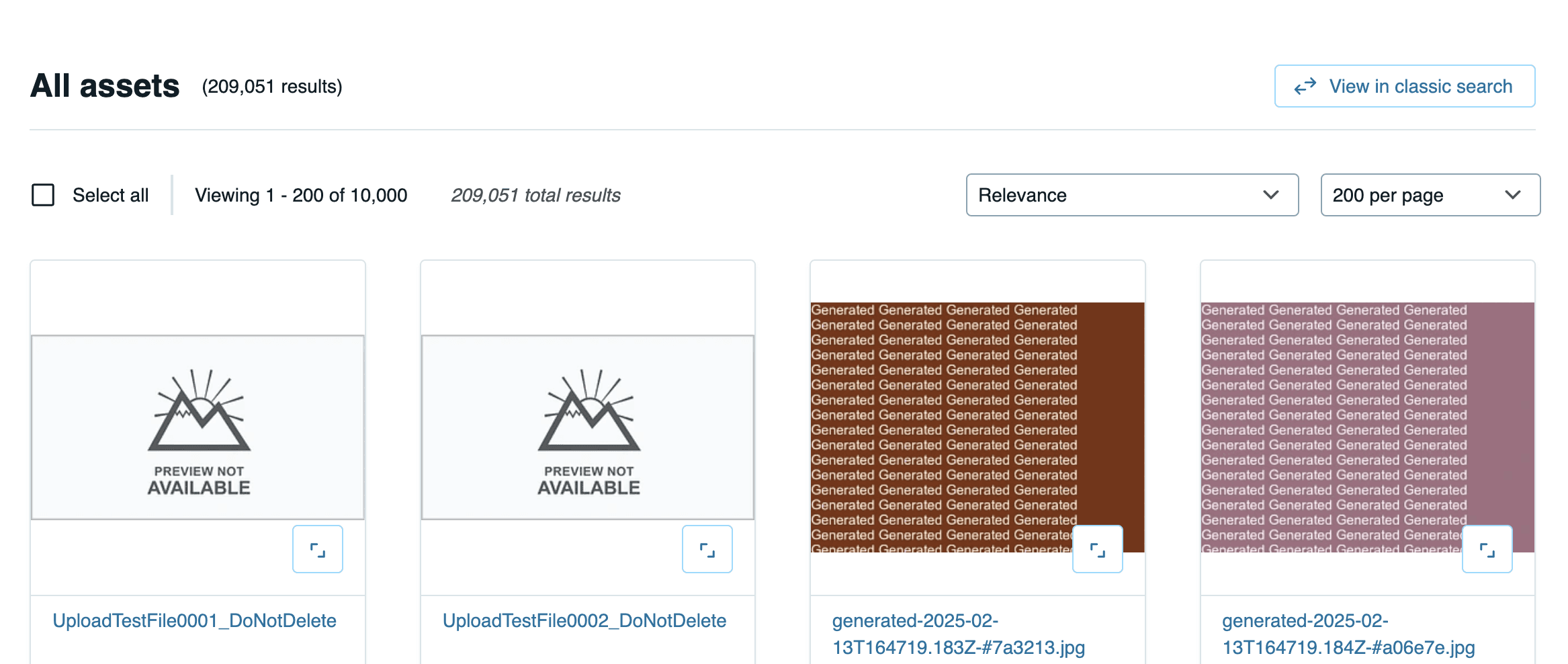
These problems leads to the challenge: how might we use an AI chatbot to help Acquia DAM users efficiently locate the right assets and review associated information — even when managing tens of thousands of assets?
Solution preview
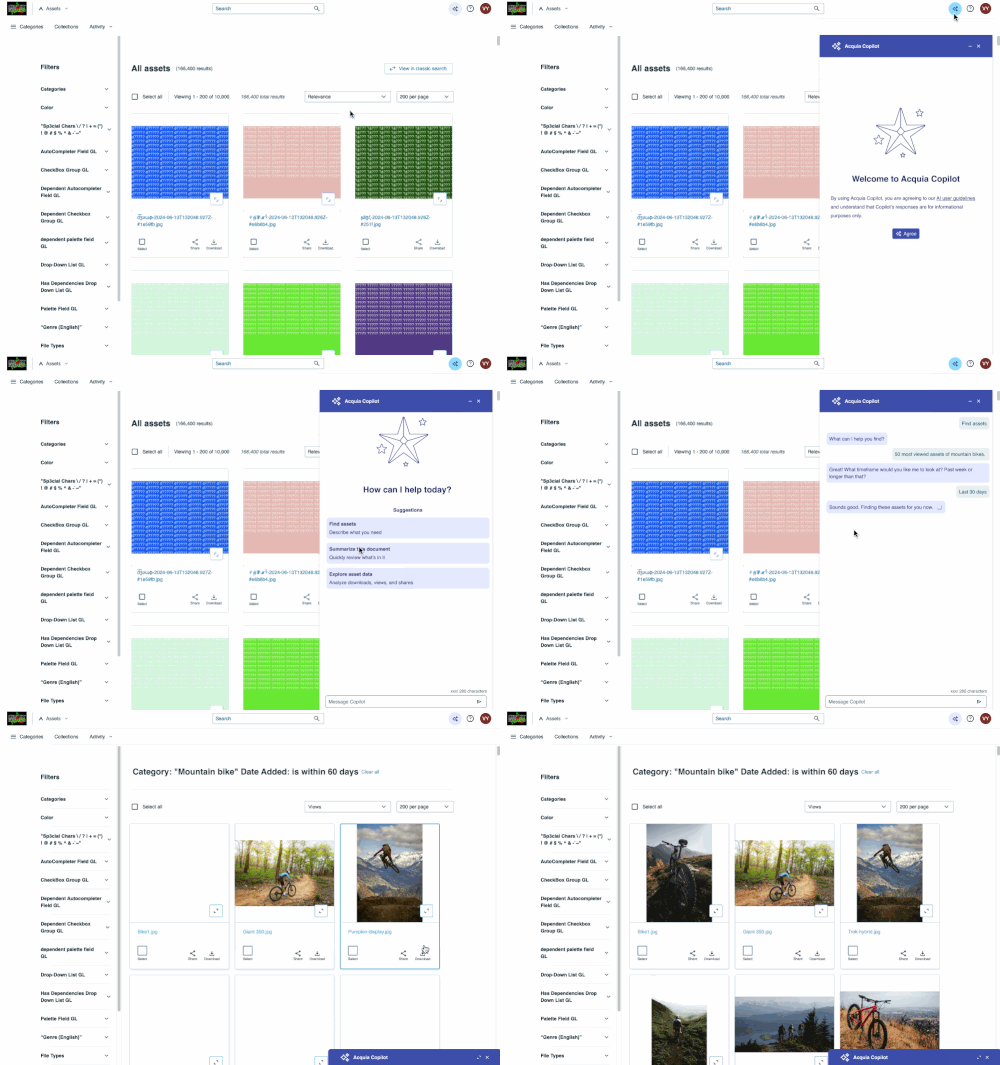
We designed Acquia Copilot as an AI assistant embedded in DAM that users can summon at any point. Instead of digging through filters and menus, they can:
Find assets using natural language. Example: “Show me all the campaign images from last fall featuring product X.”
Summarize documents. Copilot can extract key points from long files like legal agreements or campaign briefs.
Surface performance insights. Users can quickly ask, “How did our holiday assets perform compared to last year?” and get data-driven answers.
Impact
Led design from discovery through beta release across multiple sprint teams.
Copilot shipped in Acquia DAM and generated cross-product interest — a clear sign the design was solving a real problem.

My process
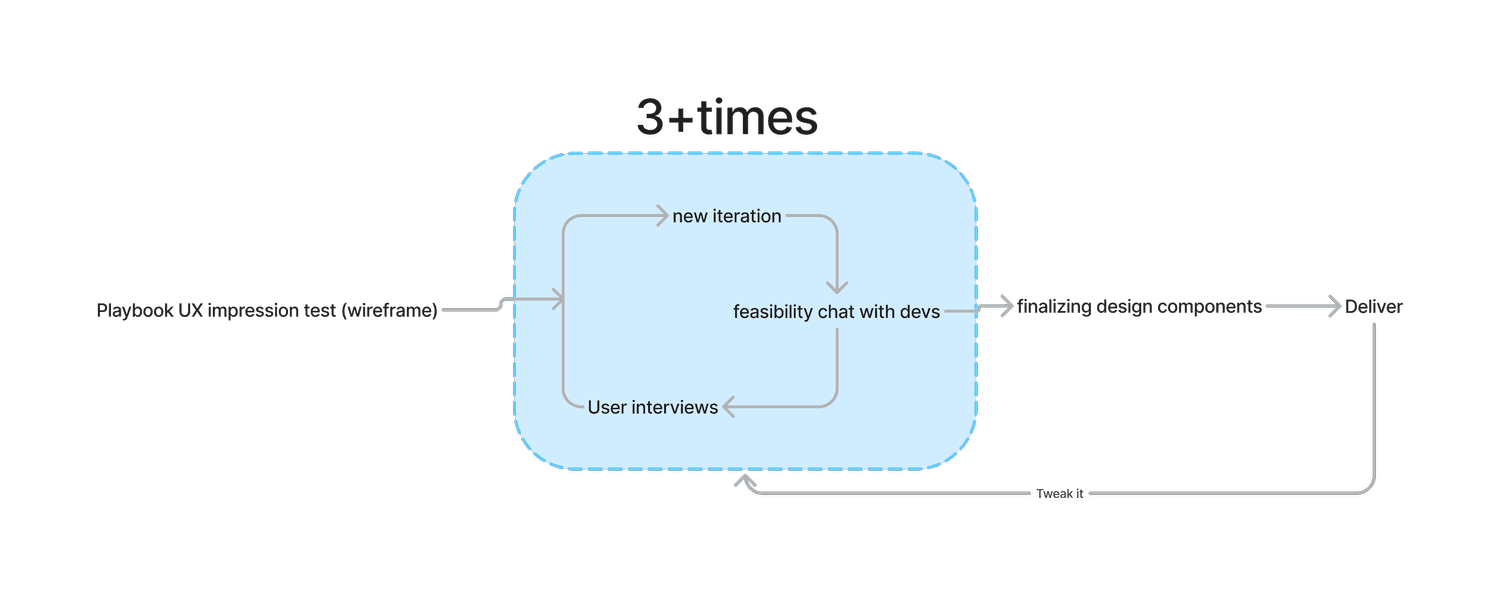
I used an iterative, research-driven loop: interview → synthesize → prototype → test → iterate.
Between and during interview rounds I:
Synthesized research into clear design implications.
Updated prototypes with the content designer (prompt language, microcopy).
Consulted engineers early to validate technical feasibility.
Used the 30 / 60 / 90 framework to structure feedback cycles and align sprint teams on priorities and deliverables.
Research
We ran 4 rounds of customer interviews, each testing refined hypotheses and improved prototypes.
Impression test
We validated with 5 users want actionable insights and cross-domain data. They also need support in interpreting the data and clear guidance on their next steps.
💡 Overall, the impression test confirmed that the AI assistant icon/button is easy to find, and that participants have a good understanding of what it does.
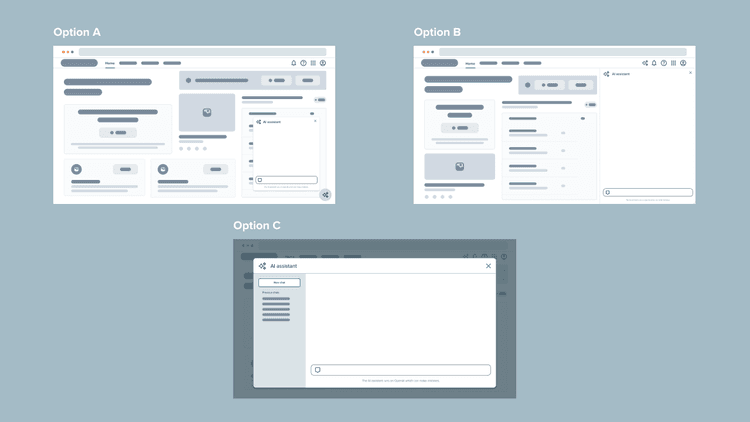
6 out of 10 participants more or less had the same expectation for the AI assistant tool in layout A, B, and C; 4 participants think that the AI assistant in layout B & C is more robust than it in layout A.
4 rounds of customer interviews
Each round, we tested different hypothesis and with different, improved prototypes.
Key insights:
Users expect clicking starter prompts would trigger AI assistant to ask a further question.
Participants expects/prefer results to be delivered on a page
Preview of results in AI assistant modal is not commonly desired
Refine results: users expect to either use filters to refine results after initial search or use AI assistant to refine search
Design
Design is a team sport — I align PMs, engineers, and content designers before we ship
Based on research, I created empathy maps, journey maps, and task flows. When I designed, each frame match with one step in the task flow. Task flow gives me a framework to start abstract and then dive into high fidelity design one step at a time.

Pivot
We could not implement the drawer pattern (concept B) due to technical limitations, so we shipped with the overlay assistant (concept A).
We refined scope to focus on products, assets, and projects for the beta to keep the experience tight and reliable.
Because of early participant feedback, we added asset selection inside the assistant so users could directly act on items returned by Copilot.
Build
From design system updates to onboarding other product teams, I set Copilot up to scale across Acquia.
AI design system
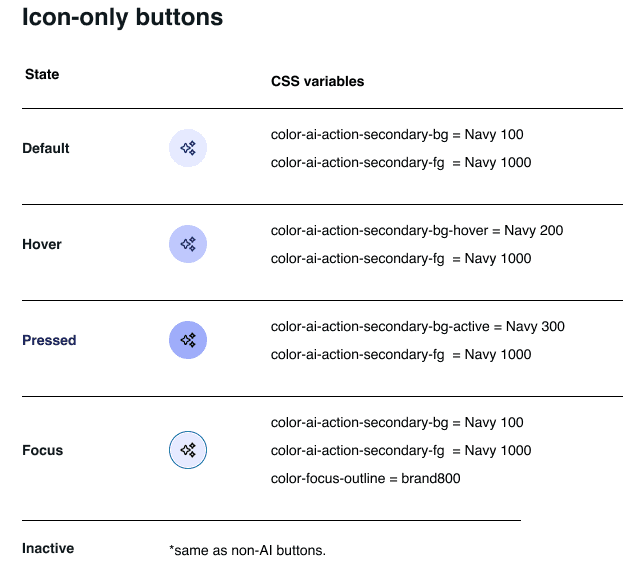
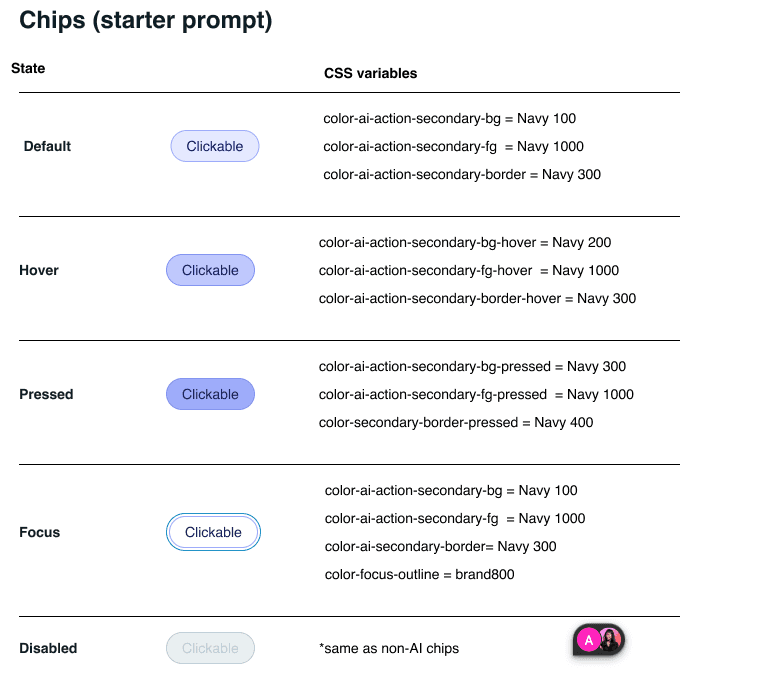
Created an AI component library (prompts, chips, result cards, asset selectors) so other teams could plug Copilot into their products.
Hightlights
3 different products adopted the design, and I worked with each team to make the Copilot design work for their specific product.
Example: Policy assistant for web optimization
Allow users to create policies without knowing how to write Regex.

Impact & reflection
Design for action. Embrace constraints. Build trust. Think systems-first.
Impact:
A month after the launch of policy bot, the support tickets related to policy reduced to zero. The policy bot continues to reduce tickets related to policy-creation, freeing up time for CSMs.
Low-tech users are able to create policies.
Takeaways:
Importance of documenting design decisions: This is an ongoing project, and I faced the challenge of remembering the reasons behind certain decisions and conversations with stakeholders from a long time ago. Through working with this sprint team on the redesign project, I learned to document better! Clear documentation ensures that design choices are traceable, and easily understood by all stakeholders, facilitating smoother project transitions and future iterations.
Innovation: Sometimes technical constraints can be daunting, but it’s important to allow myself to think big first (diverge and converge!). The empty field toggle and expandable preview ideas were innovative, but were proven to be feasible and were embraced by the dev team.
Building Rapport with the Sprint Team: I have been on this sprint team for over two years! Through this process I learned the importance of establishing strong relationships and understanding different communication styles. Apositive working environment leads to more successful project outcomes.