
Founder, lead designer
Acuia DAM (Digital Asset Management) Redesign
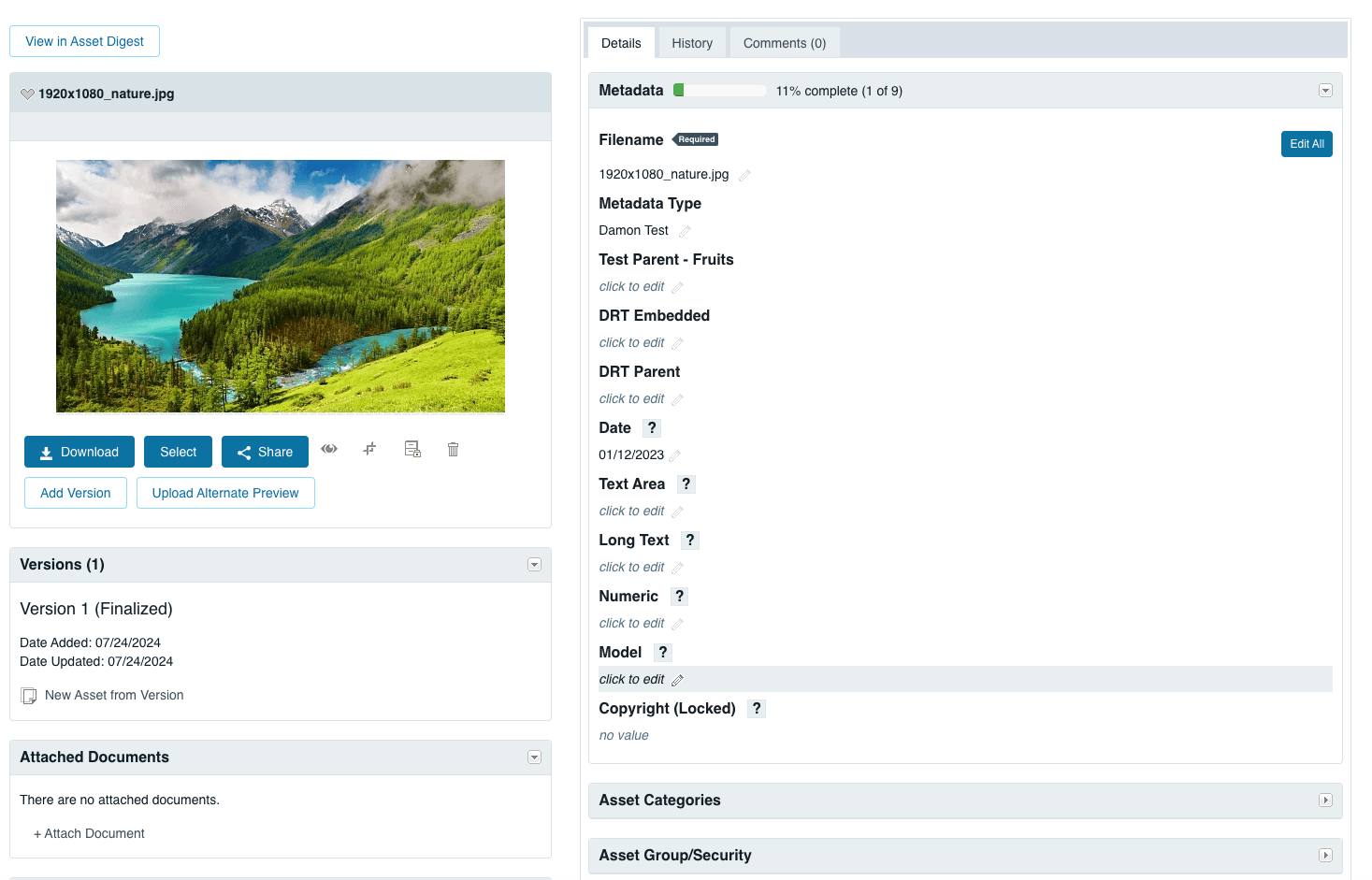
Acquia DAM's details page offers a streamlined view of an asset’s metadata, category, tags, and other editable sections.
I redesigned Acquia DAM’s details page to allow admin users and marketers scan and verify information faster, leading to a 11% increase in user adoption and 22.5% increase in account adoption.
My role
Sole designer in a sprint team of 6
Duration
Q3, 2022 - Q4, 2024
Team
1 Product Manager, 1 Agile team lead,. 1 Frontend engineer, 1 Backend engineer, and 1 QA engineer
Constraints
Need to adhere to strict patterns library and be mindful of limited engineering resources
Impact
11% increase in user adoption and 22.5% increase in account adoption.
Challenge
How might we redesign the Asset Digest page to make information easier to scan and support workflows for verifying metadata with assets, while balancing the diverse needs of other user types and their use cases?
Current probelm
Some customers find it challenging to scan information on the Asset Digest, The challenge lies in redesigning the page to support a workflow that allows users to verify metadata with assets, all while considering and balancing the needs of other user types and their use cases.
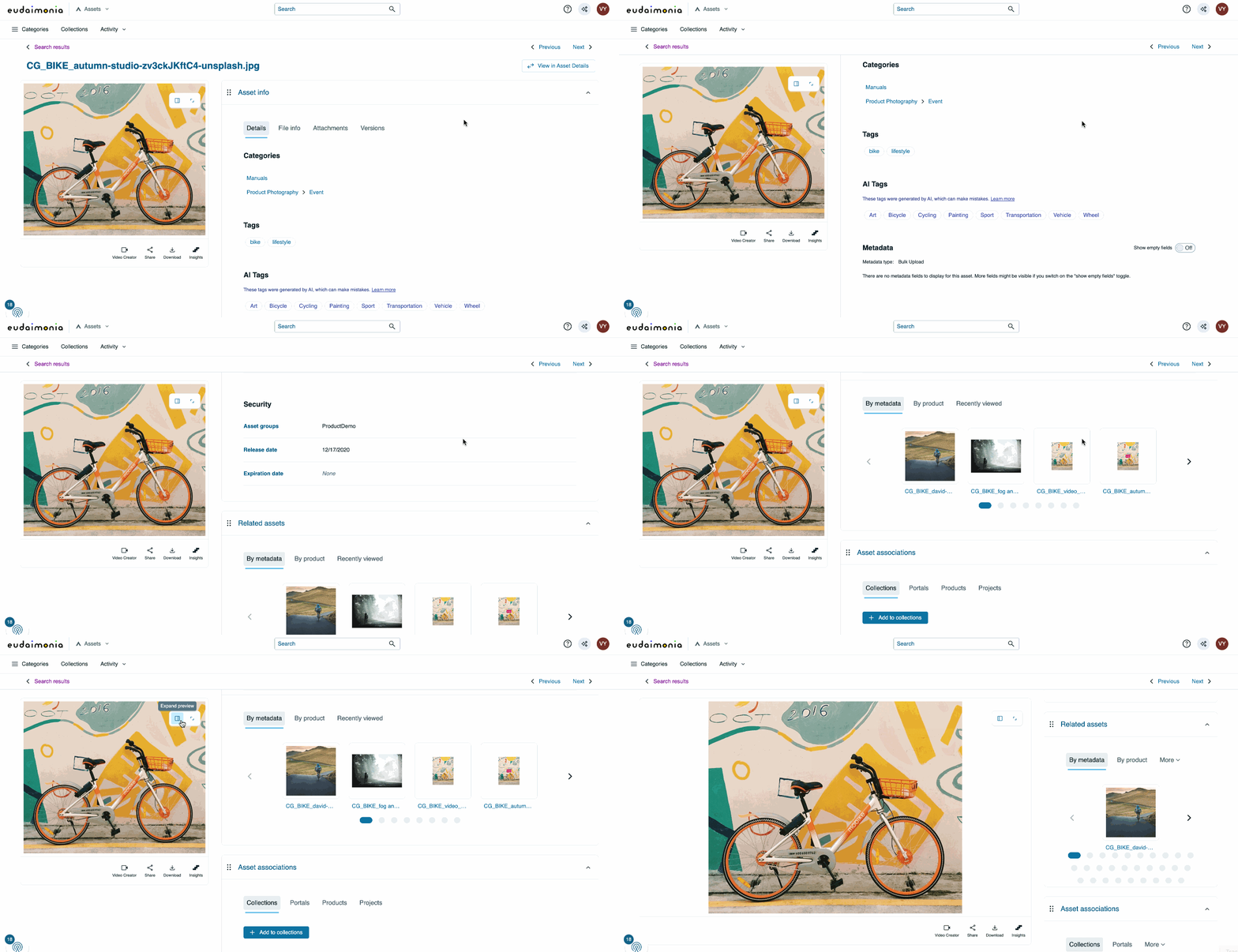
Solution preview
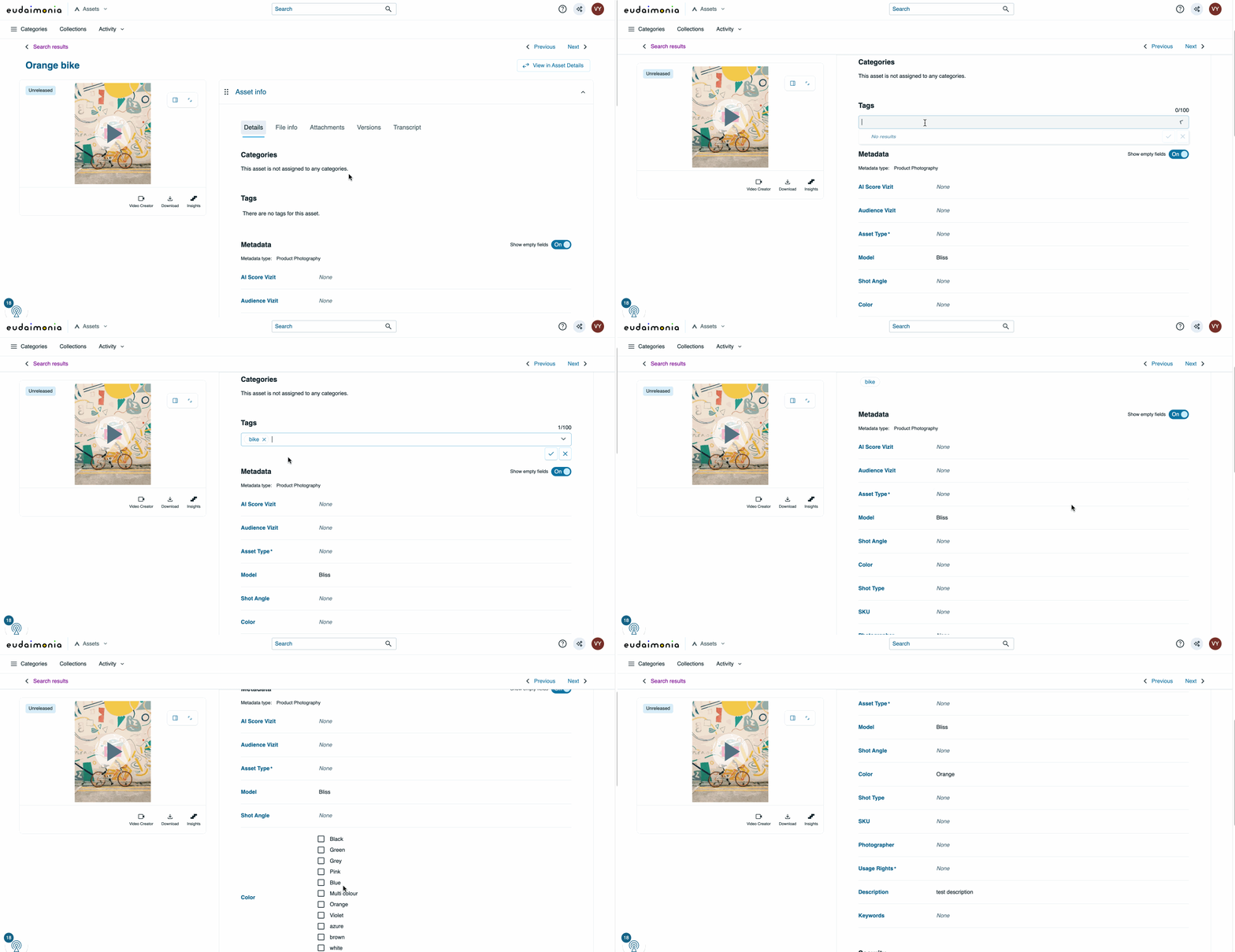
A redesigned digest page with inline edit, expandable preview, and many more improvements.
Process
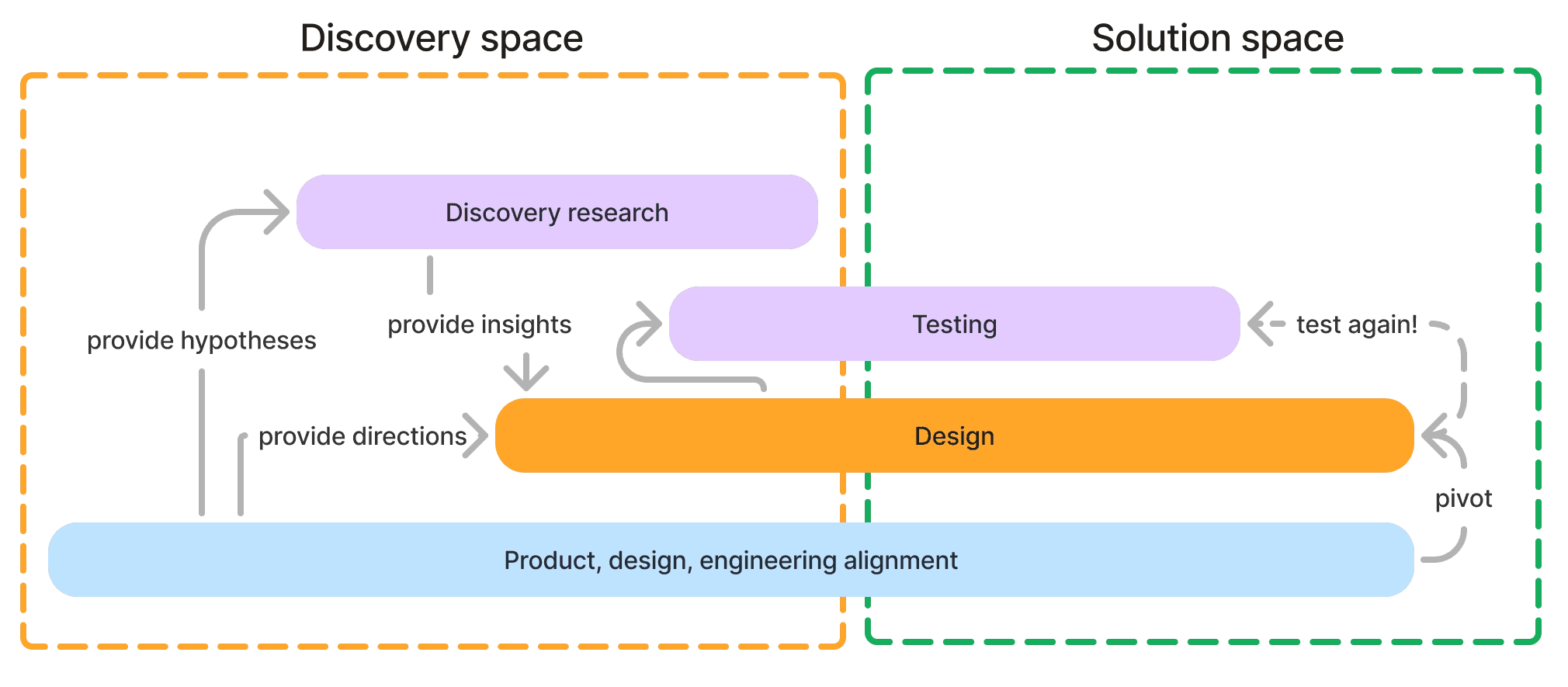
From blueprinting sessions with engineers to customer interviews and A/B testing
I started the design process during discovery research, validated the updated design at the end of each session. During the whole process, I worked closely with stakeholders to ensure alignment.
Research
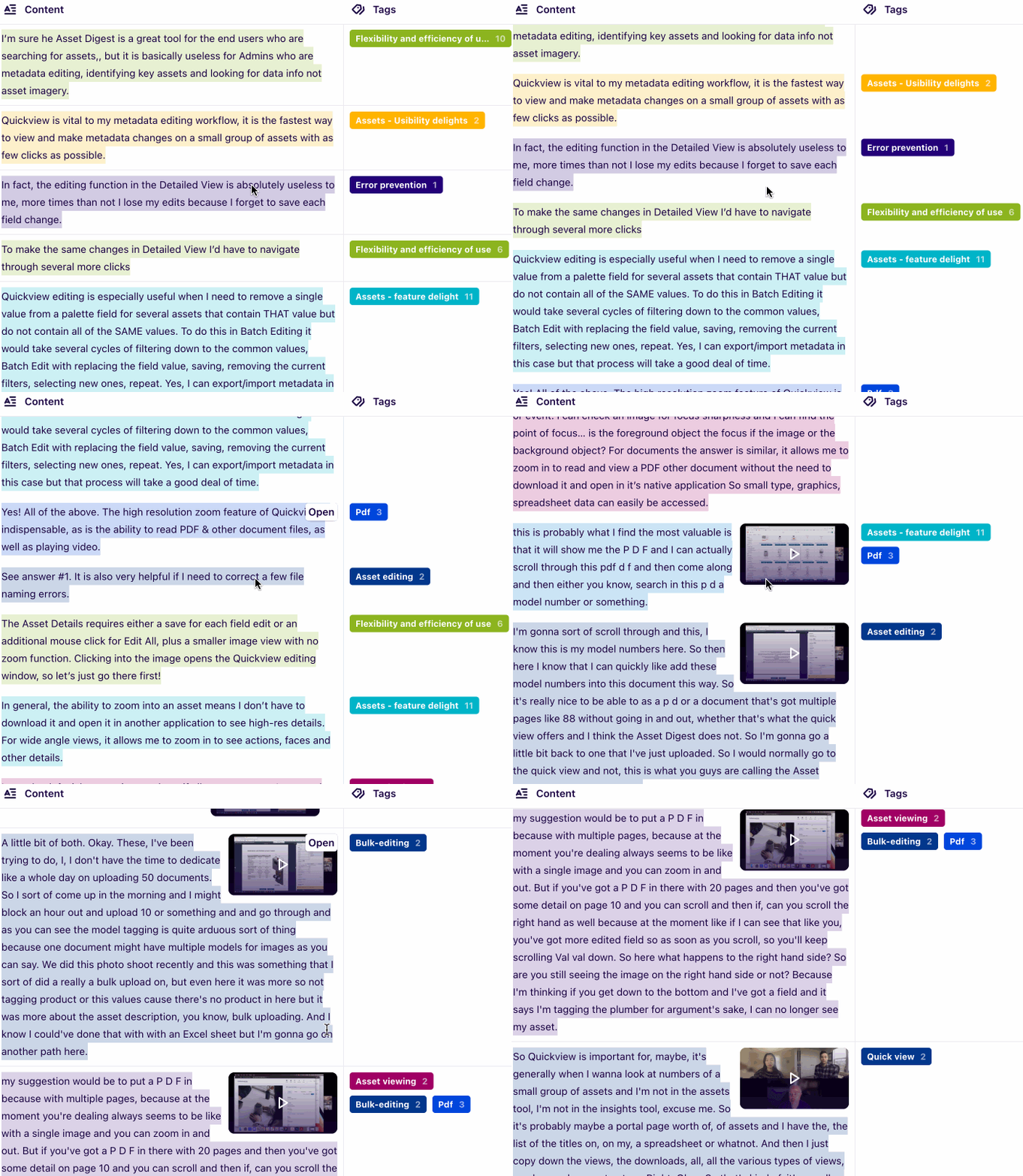
We found, among other things, that that comparing assets and metadata is a crucial part of their workflow
Various user interviews
We validated with 5 users want actionable insights and cross-domain data. They also need support in interpreting the data and clear guidance on their next steps.
💡 Research Insights:
5/5 participants shared that comparing assets and metadata is a crucial part of their workflow 3/5 participants shared that the current layout is not very readable
5/5 participants find it hard to scroll through all the metadata fields
AB tesst
We validated with 5 users want actionable insights and cross-domain data. They also need support in interpreting the data and clear guidance on their next steps.
💡 Research Insights:
5/6 think preferred layout A because:
There are 2columns, making, information not over-whelming
There are dividers to separate each field
Design
Continuously learn about personas and their journeys, and shaping the design based on it.
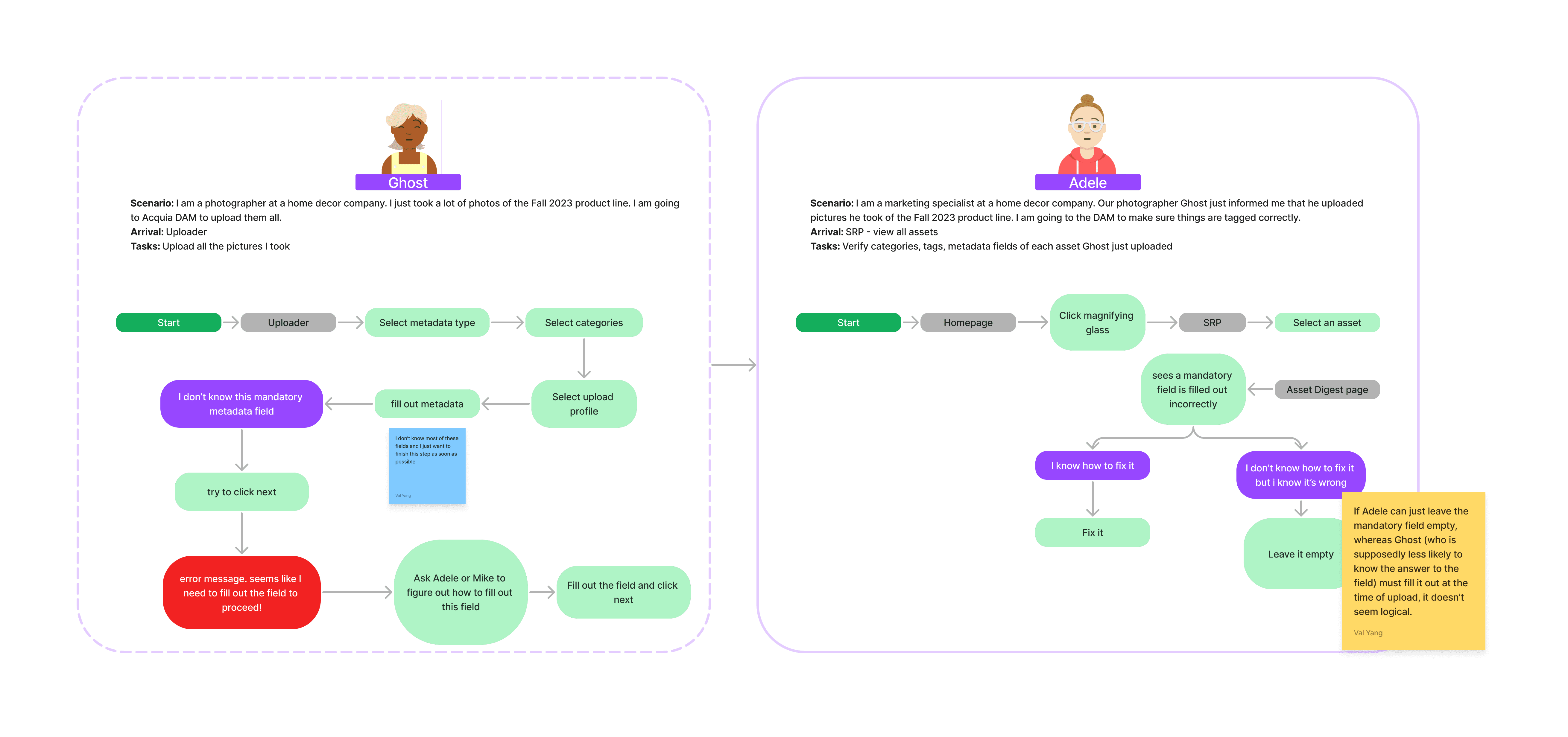
Using assumptions from PMs and insights about our personas, I drafted task flows and designed solutions aimed at addressing the problem. I refined the designs after each user interview, incorporating feedback, and validated the updates with subsequent users.
Build
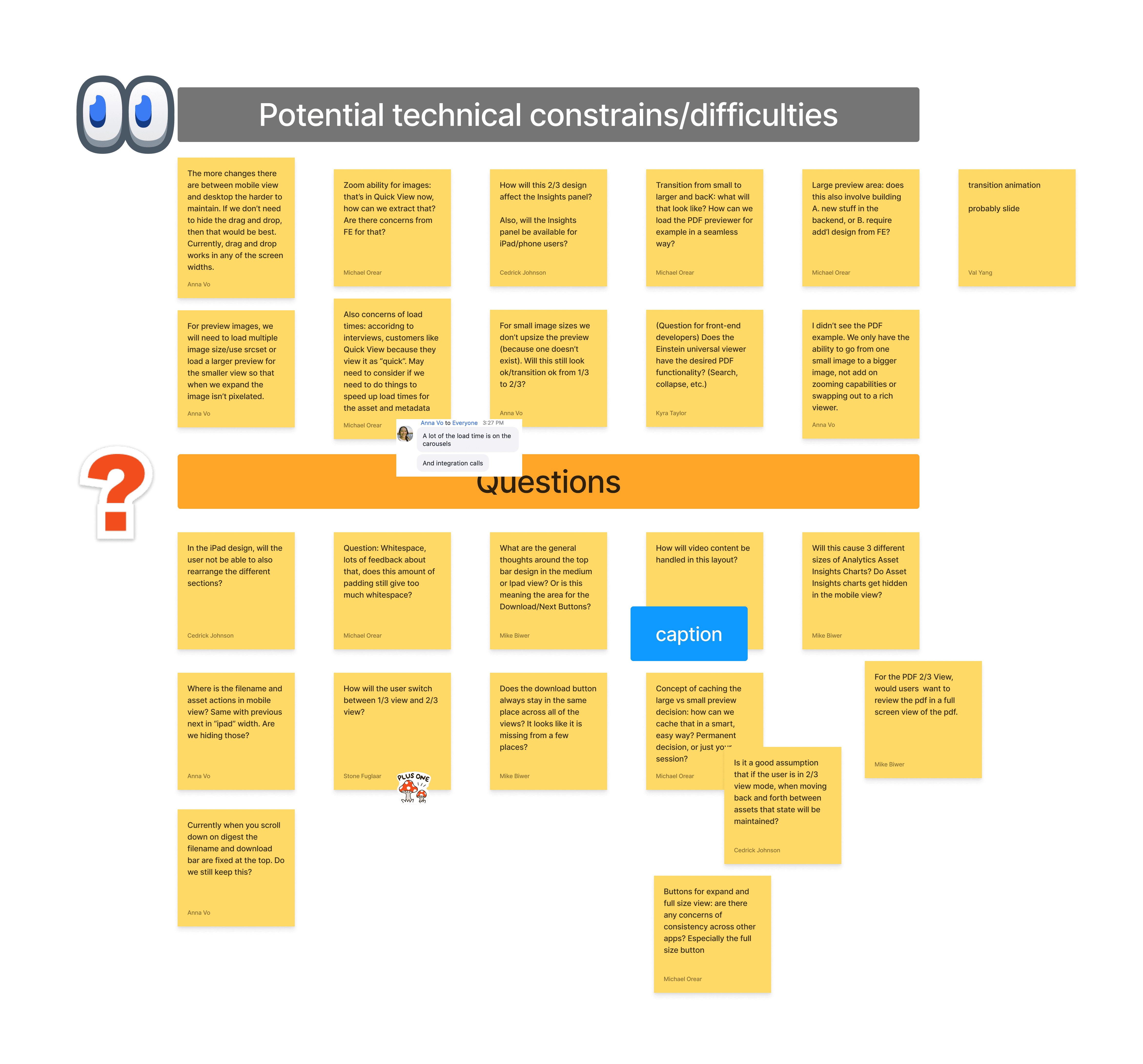
I worked closely with the engineering team for 2 years, provided details and groomed over 200 Jira tickets.
A content designer and I developed the initial version of the information architecture (IA) and validated it with external users. However, during a workshop with the VP of Product, we learned that the company hopes to move away from the existing structure and market segments of the platform separately.
This required us to pivot and reorganize the categorization. As a result, the dashboard I had previously designed was impacted by the new structure. I quickly adapted, updating the dashboard to align with the new categories while maintaining its usability and functionality.
Hightlights
Understanding stakeholders' perspectives and making design adjustments that balance business goals with user needs.
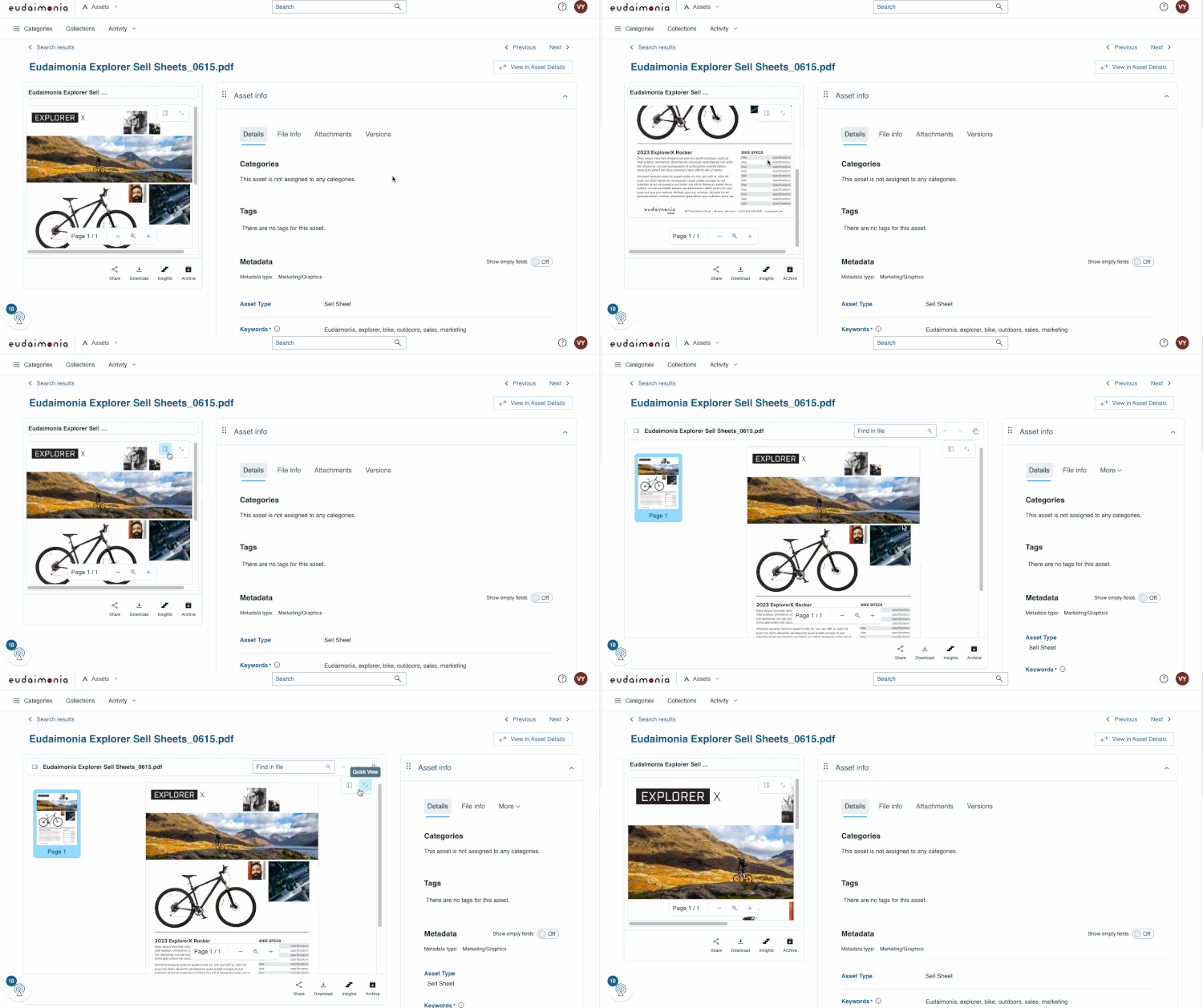
Expandable preview
Allows user to compare data with asset
Inline edit
Save time for editing a single fields or multiple fields
Reflection
Importance of documenting design decisions: This is an ongoing project, and I faced the challenge of remembering the reasons behind certain decisions and conversations with stakeholders from a long time ago. Through working with this sprint team on the redesign project, I learned to document better! Clear documentation ensures that design choices are traceable, and easily understood by all stakeholders, facilitating smoother project transitions and future iterations.
Innovation: Sometimes technical constraints can be daunting, but it’s important to allow myself to think big first (diverge and converge!). The empty field toggle and expandable preview ideas were innovative, but were proven to be feasible and were embraced by the dev team.
Building Rapport with the Sprint Team: I have been on this sprint team for over two years! Through this process I learned the importance of establishing strong relationships and understanding different communication styles. Apositive working environment leads to more successful project outcomes.